
AisDrive – File Manager · Manage files with AI
 AI
Easily organize, search, and share documents.
In the features that use AI, responses are generated by artificial intelligence and are not a substitute for professional advice.
How many posters have you thrown away because the QR led to a place that no longer exists?
A printed QR is immutable: if it contains your WhatsApp number or the address of the menu, the day they change, the poster dies. aiLinks turns it around: the code contains a short link that is yours and never changes, and the destination lives in the app. You go in, tap "Change destination," save, and the next scan already goes to the new site — with no waiting, because the redirect is served without being stored in anyone's browser. You can even change the type of destination: the QR that opened WhatsApp now opens your website without touching a single poster. And since all scans go through aiLinks, you also know how many there have been, from which country, and on what phone.
Get started for free
Discover every feature in detail

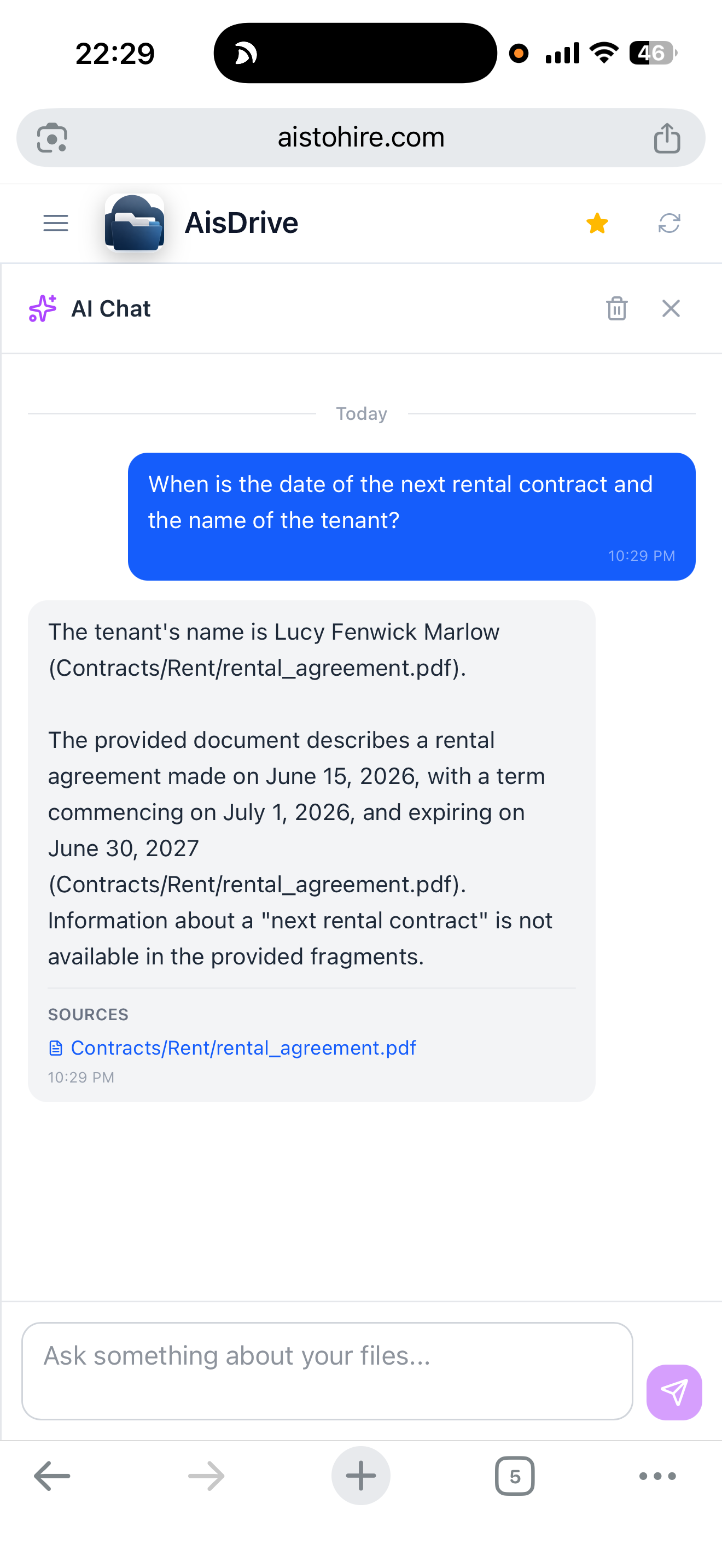
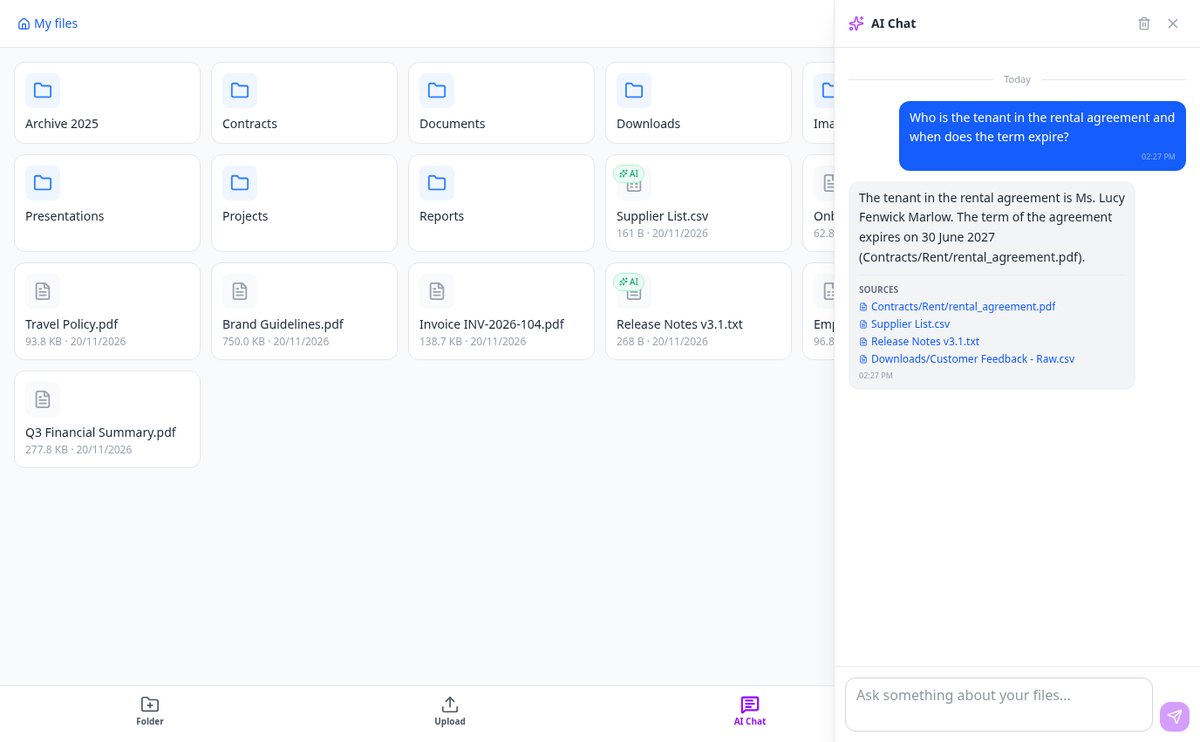
AI Chat to ask your documents | AisDrive
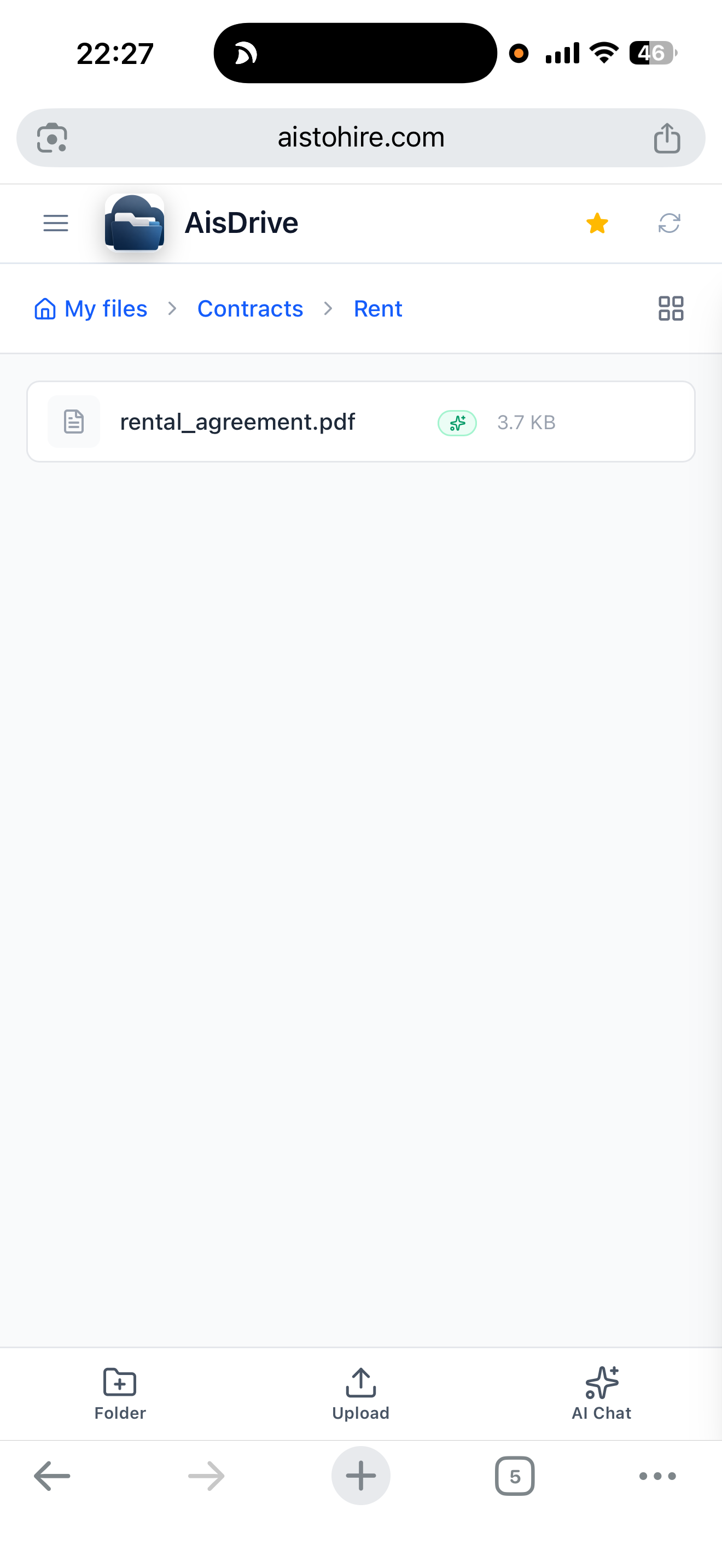
Talk to your files: AisDrive's AI chat answers questions about the content of your indexed documents (PDF, Office, text), cites sources, and does not make things up. Available in 15 languages.
View feature
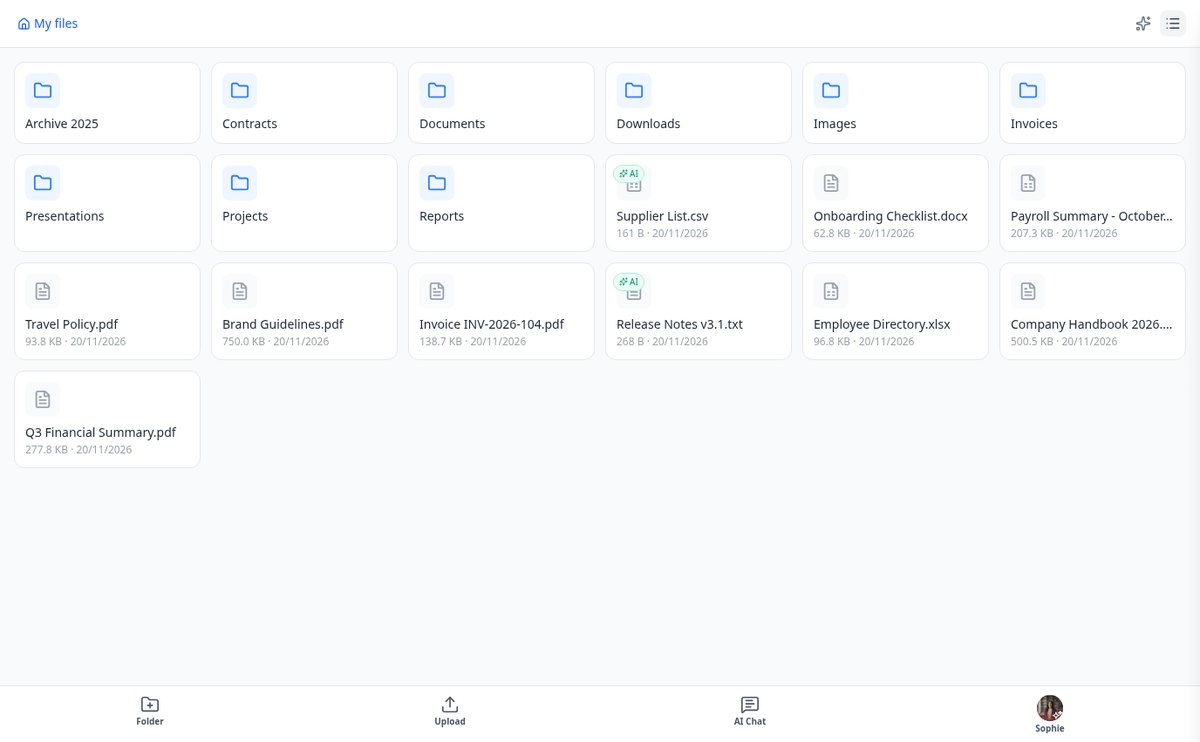
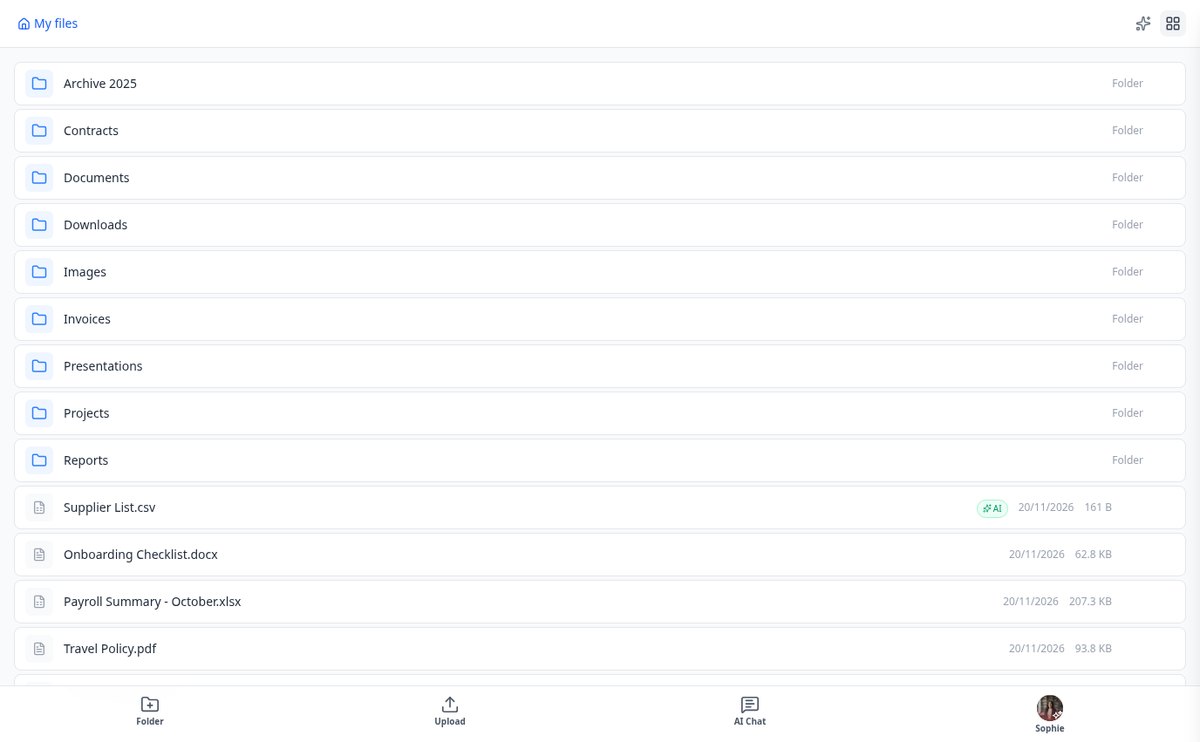
Index documents for AI: choose which files and folders | AisDrive
With AisDrive, you decide what goes into the AI index: index a file from its menu or enable auto-indexing in a folder, and everything you upload gets indexed automatically. Reversible and with live status.
View feature
Extract text from Word, Excel, and PowerPoint without spending AI tokens | AisDrive
AisDrive extracts text from docx, xlsx, and pptx locally, without calling any model and without consuming extraction tokens. Only PDFs and images go through AI vision.
View feature
Semantic search in your files' content | AisDrive
AisDrive searches for meaning within your documents: it compares your question with the indexed fragments using cosine similarity and returns the relevant paragraph, the source file, and its link.
View feature
AI Chat that cites its sources with file path | AisDrive
AisDrive cites in each response the documents used with their full path Folder/Sub/file.ext and, by clicking on a source, navigates directly to the folder that contains it.
View featureDiscover what AisDrive can do for you
None of this consumes credit: creating links, generating QRs, redirecting scans, and viewing statistics are our own calculations. AI appears only in two optional extras, and only if you tap them.

Smart Organization
Upload and organize your files with drag & drop. Simplify your workflow.

Chat with AI
Inquire about your indexed documents and find information instantly.

Secure Sharing
Share files with temporary links that expire automatically.
Using AisDrive is that easy
Choose what you want to link
Website, WhatsApp with a pre-set message, phone, email, SMS, contact card, social network, WiFi, or a PDF you upload yourself. If you want, the link carries your own word instead of a random code.
Design the QR and send it to print
Adjust colors, shapes, logo, and frame while seeing the result live, and download it as SVG for the print shop or PNG for social media. The short link is copied with one tap so you can also use it in your bio, in an email, or in an ad.
Change it when needed
Another on-call number, a new menu, a finished promotion: you go in from your phone and change the destination. And if you need to, you can add an expiration date, a scan limit, a password, or your own notice page for when the promotion ends.
Frequently Asked Questions
Latest blog articles
Guides and news to get more out of it
How to archive your invoices before Verifactu 2027: retention periods, formats, and what you need to be able to find during an inspection
Verifactu 2027: which invoices to keep, how many years to retain them, in what format, and how to structure folders to find them during an inspection.

How to organize project files: folder structure, names, and the 10-second test
Three-level folder structure, naming rules with ISO 8601 date, and the 10-second test to check if your organization really works.
Ready to optimize your file management?
Create your free account, generate the link, and download the QR in SVG to take it to the print shop.